article number
513935

Brodit holder fixed install. iZettle Reader

Price €101.96
Out of stock
-
+
  • Fast Shipping
  • High Quality Products
  • Secure Payments
Details
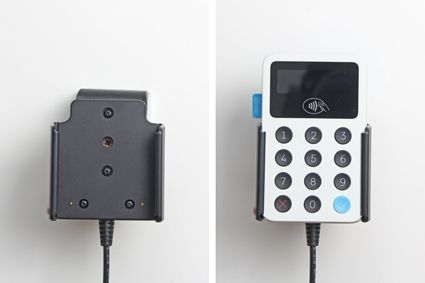
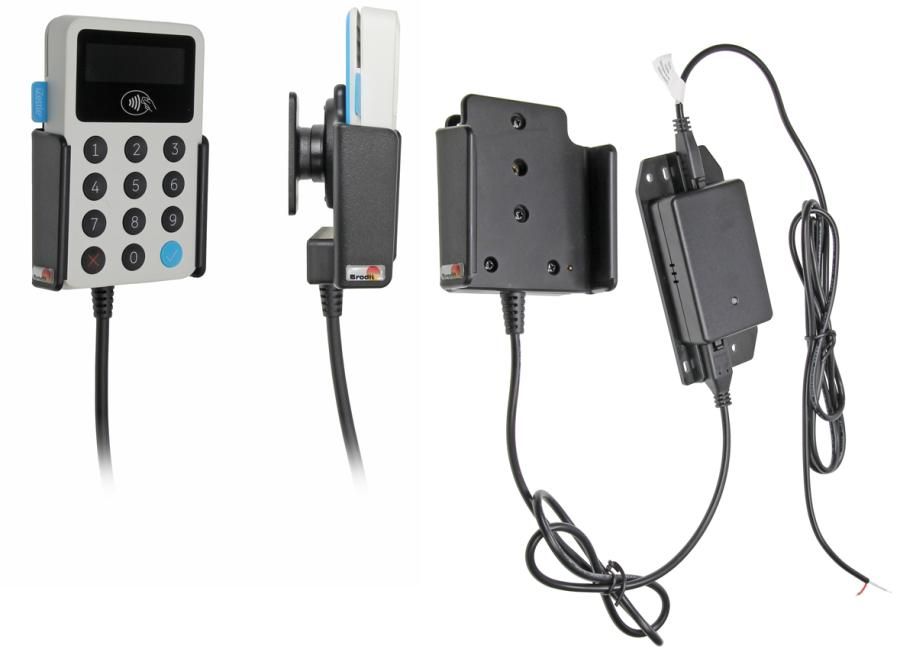
An active holder which is to be connected inside the dashboard, this gives a discreet, neat installation without cables hanging over the interior!
 
You can choose to use the holder as an active holder for charging of your device only, or to connect an adapter to the Molex connector for additional features. Then you can use the holder also for other own solutions.
 
12/24 Volt. The product is E-approved. Connect the power cable with a 2 A fuse. 2 A charger.  Professional installation recommended. The holder is attached onto a tilt swivel so you can easily adjust your device in order to avoid light reflection. Attach onto a ProClip Mounting Platform.
 
Dimensions: 75 x 79 x 47 mm (W x H x D mm)
Weight: 158 g
Cable length: Total length: 244 cm (Holder to box: 74 cm, Connectors+box 11 cm, Box to open end: 159 cm.)
 
Charging specifications:
Input voltage: DC/10-30V
Charging voltage: DC/4.75-5.3V
Output current(Typ): 2.0A
Input & output protection: Input polarity reversal/Output over voltage/Output over current/Output short protection
LED charging indicator: Power input indicator(Green), Ovp/Ocp/Output short(Red)
Operating temperature: 0°C ~ +40°C
Storage temperature: -20°C ~ +80°C
RoHS compliant: ROHS
More Information
More Information
Accessory brand Brodit
Barcode 7320285139350
Recommended retail price incl. VAT €101.95
Device with or without case without skin
Holder feature Toestelspecifiek
Cable / Qi / charger type / connnector Molex, fixed install
Input Voltage 12/24V geschikt
Voltage (output) QC - QuickCharge
Max Amperage 3,0 Amp
Montage standaard AMPS
Device holder lockable? no
Color black
Productinfo Professional holder with swivel mechanism for your smartdevice. Adjusting holder angle deminishes annoying screen reflection
Product installation Mount the holder on a ProClip in your vehicle. A detailed installation manual is included in the product packaging
Product suitable for In the Compatibility tab, check whether your smartdevice is suitable or listed for this holder
Item Returns This item can be returned
Show more + Show less -
Compatibility
Show more + Show less -
Instruction
Please read all of the instructions and  look at the pictures before attaching the holder. Important Note: The charger unit is fused internally with 2 A automotive re-settable thermal fuse, but if an external fuse is to be installed then connect a 2 A fuse holder and fuse inline with the Red wire close to the power source. Route the cable from the holder into the vehicle dashboard and secure the charger unit in place with the adhesive tape provided. Ensure the charger unit is securely mounted behind the dashboard in a well ventilated area that does not get hot! Note: If you are connecting a GPS/Data device to the holder please ensure the charger unit is located in a position within easy reach of any GPS or charging adapters. Route the power cable from the charger unit to the power supply source in the vehicle and connect as follows: 1. Connect the White wire to a Negative Ground connection of the vehicle or the vehicle chassis.
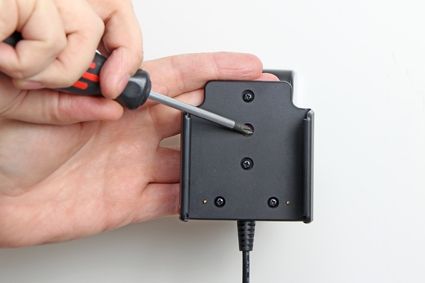
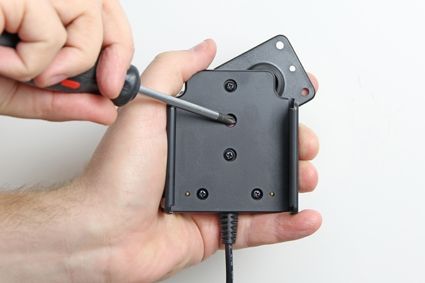
2. Connect the Red wire to a 12/24 Volt power supply in the vehicle that is controlled by the ignition switch of the vehicle. How to mount the holder: 1. Loosen the screw in the center of the holder so you can remove the tilt swivel attaching plate on the back. 2. Place the attaching plate onto the desired position. Screw the attaching plate into place with the enclosed screws.
3. Place the holder over the attaching plate so the screw fits in the hole in the tilt swivel. Screw a few turns on the screw, just so the thread starts to pull. Pull the holder toward you and hold it slightly tensed, in the same time tighten the screw so the holder is pulled toward the tilt swivel. Tighten the screw firm at first, then loosen it a bit so the holder is firmly in place, but still can be adjusted.
4. The holder is in place.
Scroll to top